
Overview
Hypothesis: a design process built on real object modeling and design-system discipline can hand off to production-shaped code, matching a specific, real target stack, with minimal translation loss, and AI tooling accelerates that handoff without replacing the judgment that makes it trustworthy.
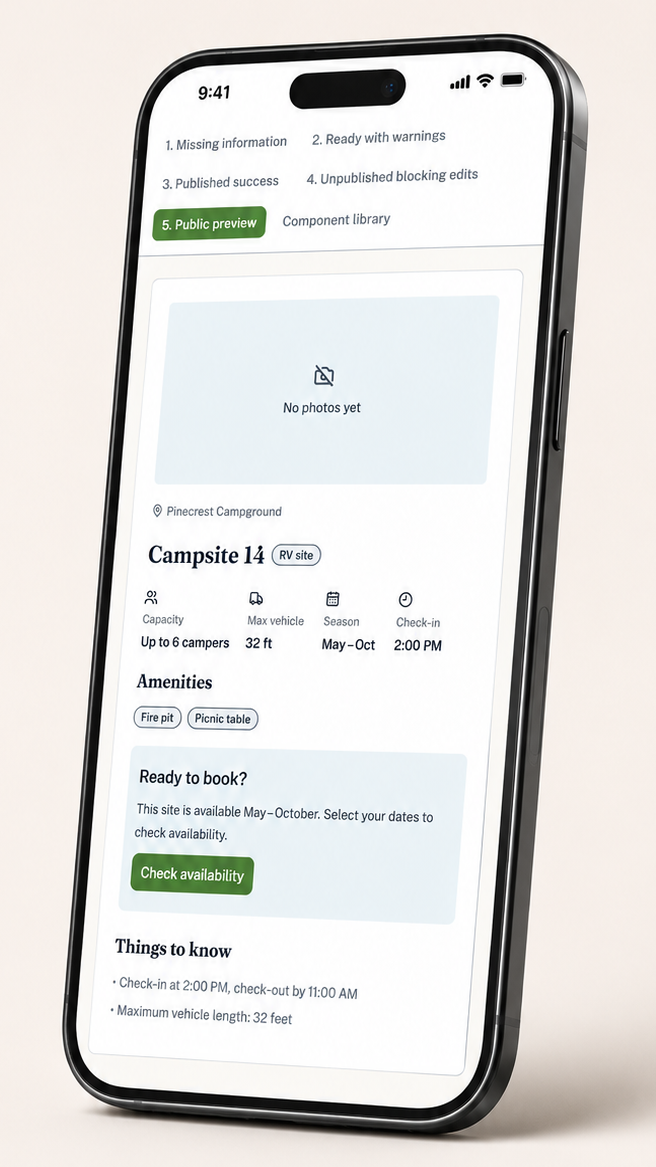
Result: it held. A deployed React, Tailwind, and shadcn/ui prototype matched its Figma source closely enough that a side-by-side review found only one real discrepancy across five screens.
The interesting part isn’t that it worked. It’s what it took to make it work: a running log of every place AI output drifted from intent, kept live during the build, not reconstructed after. That log, not the screens, is the actual evidence below.
This started after an interview went sideways: an engineer questioned whether Figma-based design still mattered, given how much of the implementation gap AI can now close. This project is the answer, built rather than argued.
PROCESS
Design system and screens: iterative, multi-session in Claude
Code build: Claude Code desktop scaffold, then Claude Code for VS Code
Total timeline: About 3 days of focused work, spread across six calendar days.
Methodology
OOUX (Sophia Prater methodology), AI-directed Figma API scripting, shadcn/ui migration
My Role
Solo. Brief through deployment, design system through production code.
Stack
React + Vite, Tailwind CSS v4, shadcn/ui (Radix UI primitives), Figma (Plugin API scripting), Claude + Claude Code, GitHub Pages
Three Moments
A wrong stack assumption got rebuilt, not patched. The project started targeting React Aria based on one line in a job description. Closer reading showed that line named a competency, not a stack. shadcn/ui was the concrete target actually named, and it’s built on Radix UI, a different primitive library entirely. The entire token layer and every component got rebuilt against shadcn’s real, documented conventions, confirmed against a real downloaded kit rather than approximated from memory.
Two brand colors passed every standard check and still failed. Trees-green and Water-blue each cleared WCAG AA contrast against white independently. A deuteranopia simulation told a different story: their perceptual distance shrank by roughly 28% under red-green color blindness. Both were shifted and verified the same way the problem was found, numerically.
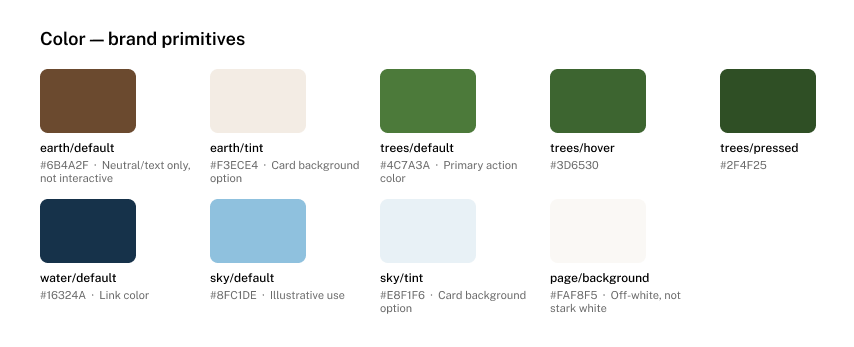
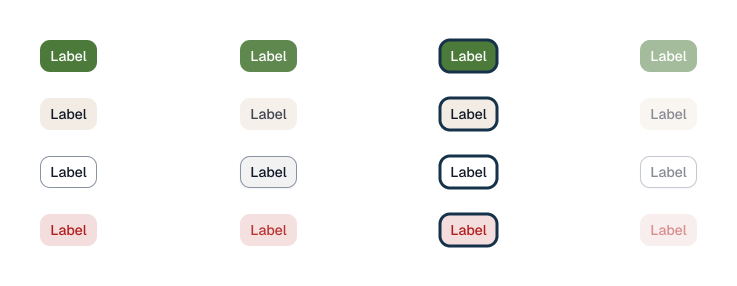
The token architecture’s payoff showed up as a measurement, not a claim. A manual audit flagged a color pair failing contrast by a small margin. A later, independent design-system token update happened to fix it, contrast went from just under 4.5:1 to over 6:1, with a one-line change and zero component code touched. That’s the measured version of "the token contract prevents rework."
The process
The full build, for anyone who wants the detailed walkthrough rather than just the highlights above. It ran across four AI tools, deliberately: ChatGPT for early PRD drafting, Claude for the product structure, the OOUX object modeling, and the entire Figma design system via direct Plugin API scripting, Claude Code’s desktop app to scaffold the project, and Claude Code in VS Code to carry the build to completion.
An AI corrections log ran underneath the entire build, roughly thirty-five entries, kept live as it happened, not reconstructed afterward.
01
Brief
The PRD was restructured into three parts: portfolio framing, a lean product-owner brief with no pre-solved schema, and a separate section for the design clarification work the brief itself defers to. A real brief doesn’t hand a designer a solved object model.
02
OOUX Object Modeling
Seven objects derived from the brief using the SIP test (Structure, Instances, Purpose). Park was a genuine discovery: the brief’s own role title implied an organizational entity it never defined. Two showstopper questions were left open on purpose and stayed open through the entire build.
03
Design System
Every primitive component rebuilt from a real downloaded shadcn kit, rebound to this project’s own tokens. See "Three Moments" above for the stack correction and the accessibility work that happened here.
04
Screens
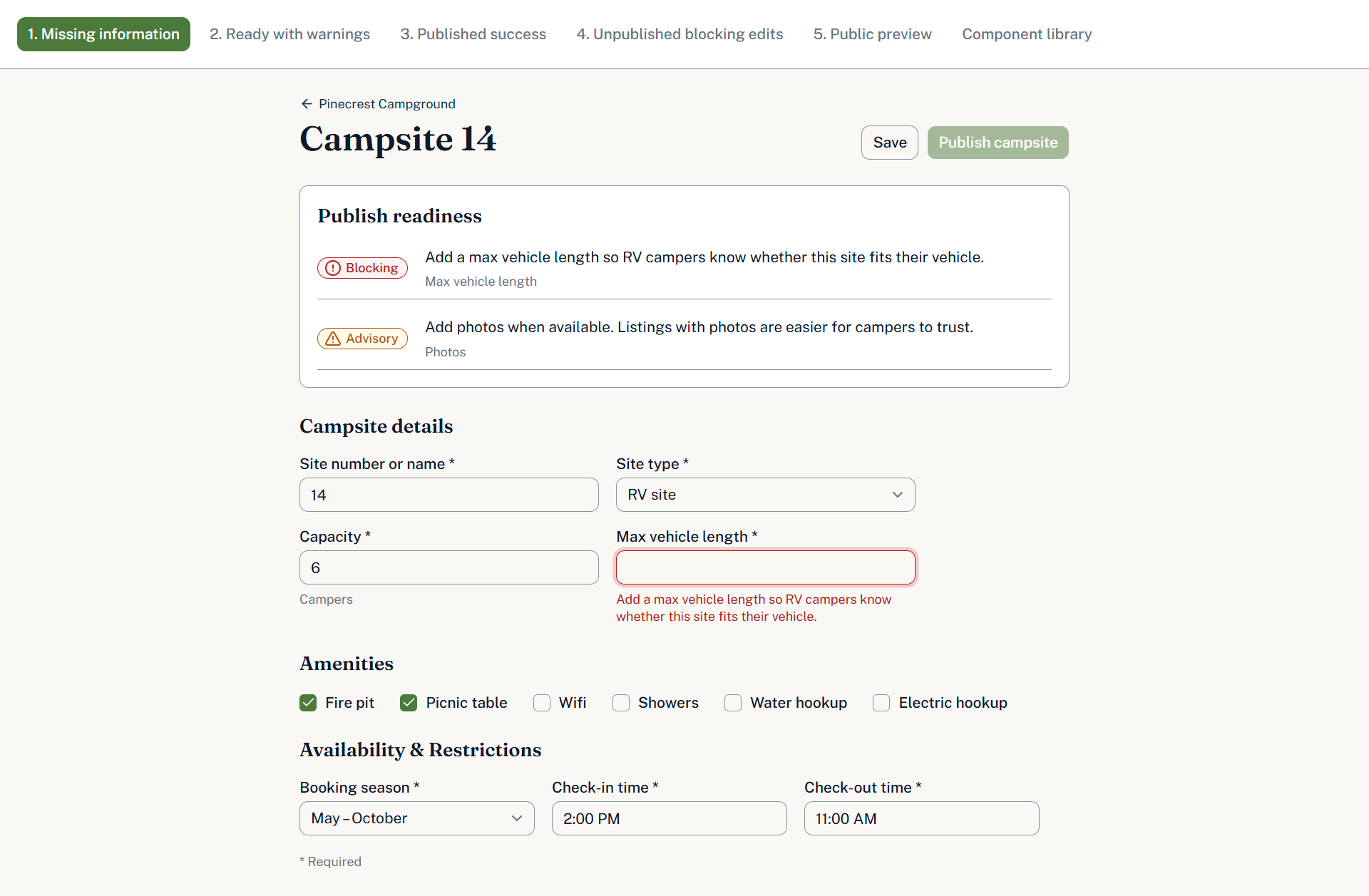
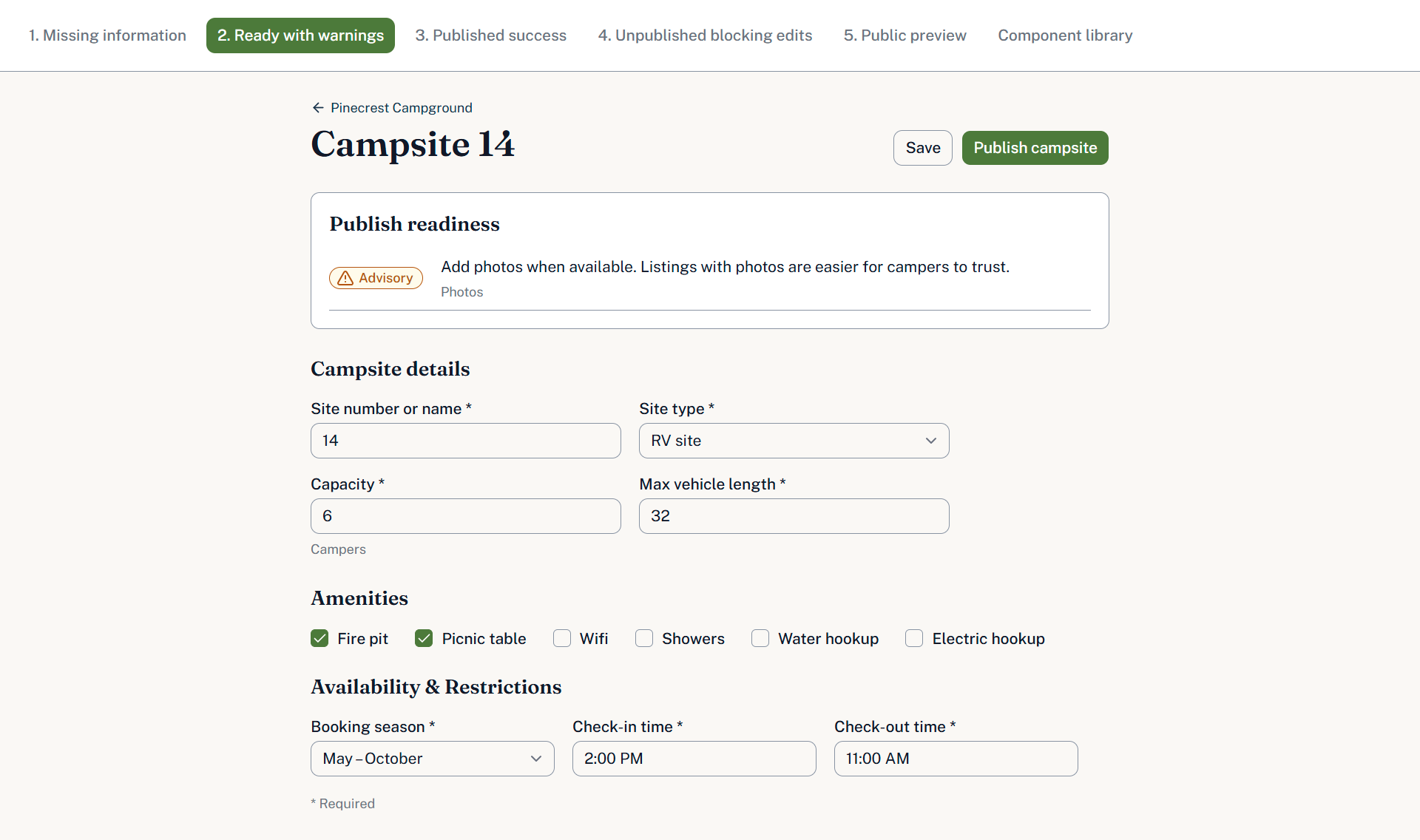
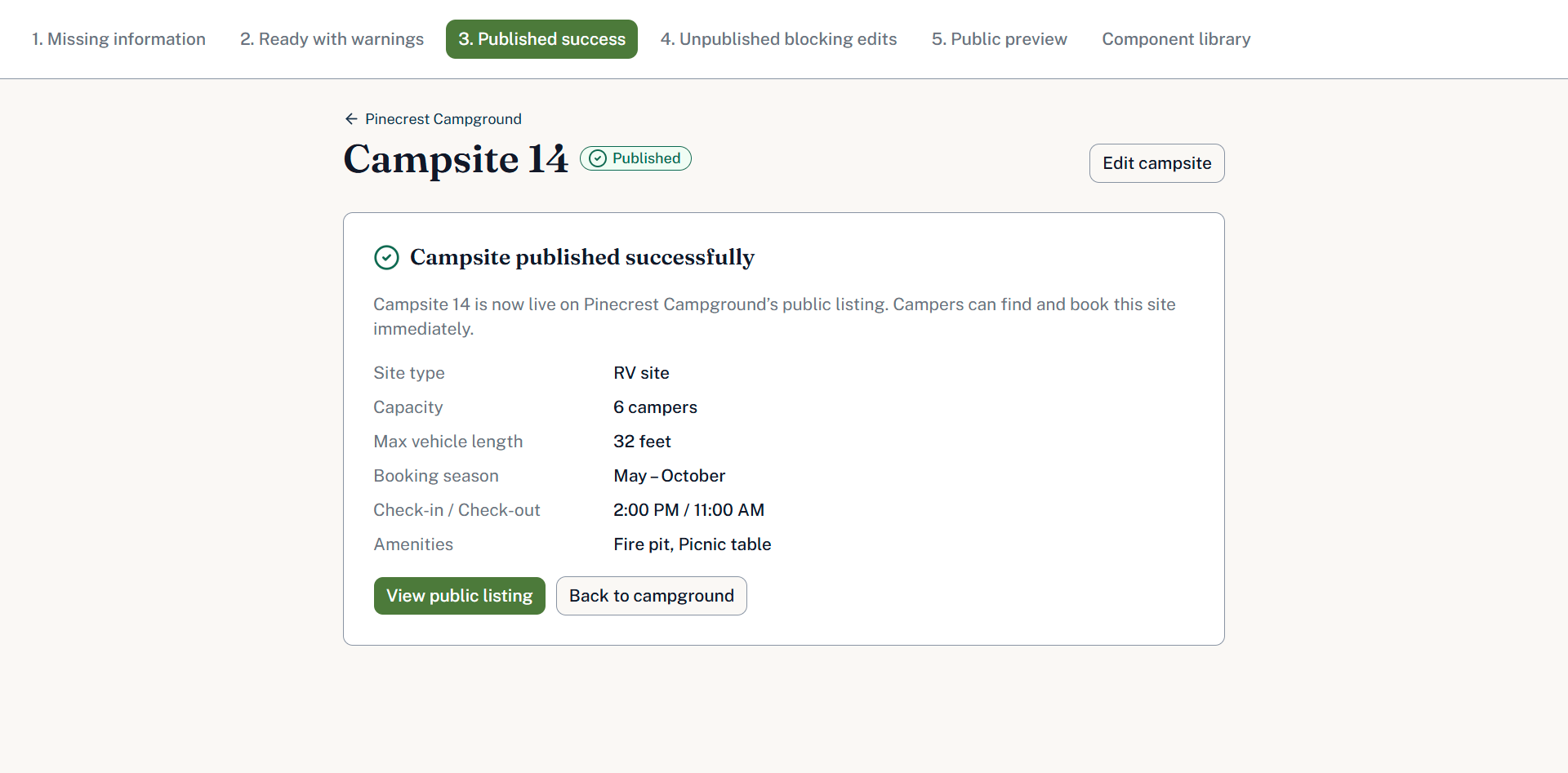
Five screens matching the object model’s publish-status states exactly. A later content review surfaced two fields with no home in the object model, closed by fixing the model, not by leaving the screens ahead of their own source of truth.
05
Component Contracts
Figma’s Code Connect requires an Organization or Enterprise plan, not available here. The manual substitute: plain documents mapping every Figma property to its exact code prop, reconciled by hand. Slower, and more revealing, since it means understanding what the automation would actually be doing.
06
CLAUDE.md Context File
Every prior artifact linked into one markdown file Claude Code reads automatically each session. The build started from a checkable source of truth every time, not a re-explained prompt.
07
Build
Two Claude Code surfaces, desktop scaffold then VS Code completion, under a standing instruction to check every claim against the live Figma file. See "What AI Handled, What Needed a Human" below for the specific catches.
08
Deployment
Deployed to GitHub Pages, then verified with an actual side-by-side review against the Figma source. A manual WCAG 2.2 audit followed, computing contrast ratios directly from token values.
What Shipped
Shipped
- Five real shadcn/ui components, rebuilt from an actual downloaded kit and rebound to this project’s own tokens
- Three custom compositions built on top of those primitives
- A full three-layer token architecture matching shadcn’s real CSS variable names
- Ten real Figma Text Styles, each mapped to an exact HTML tag in code
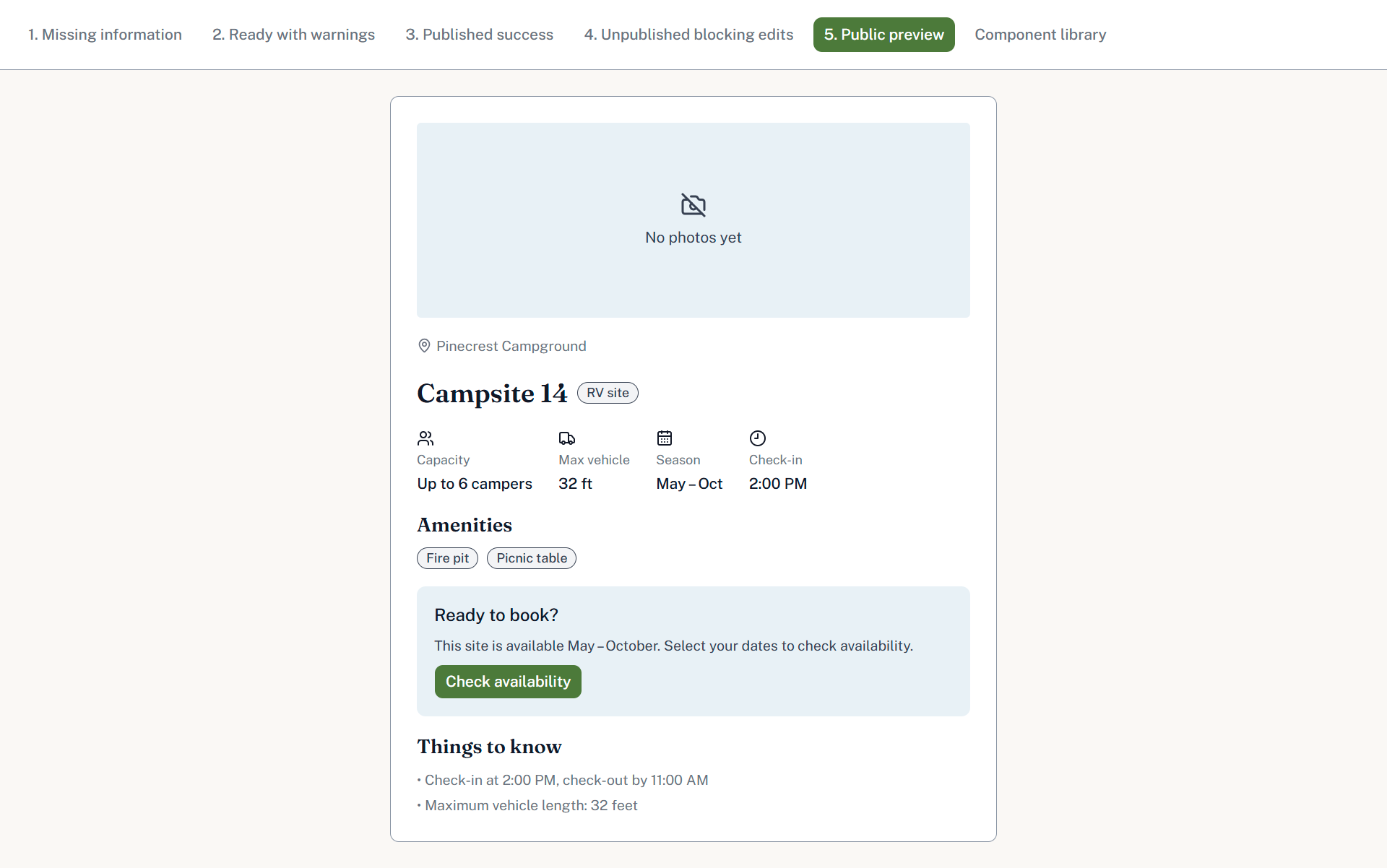
- Five screens matching the object model’s publish-status states, plus a public preview
- A deployed prototype, verified against the Figma source screen by screen
- A manual WCAG 2.2 accessibility audit, with real fixes, not a checklist pass
Two Open Questions
- Whether an operator can override an inherited campground-level Availability Rule
- What happens to the public listing when a published campsite drops into a blocking-issue state
Left open intentionally. Both are real product decisions the brief itself doesn’t resolve, and guessing at an answer just to fill the gap would have hidden the actual discipline this project demonstrates.
What AI Handled, What Needed a Human
Handled cleanly, largely unsupervised
Scaffolding the project, pulling and rebinding a real shadcn kit’s components to a custom token set, reproducing five Figma screens closely enough that state logic worked correctly on the first deploy, propagating a single token fix across every component that referenced it, automatically, by construction.
The Radix checkbox bug
Checkbox styling targeted a data-checked attribute that doesn’t exist, Radix actually sets data-state="checked". Checked boxes silently rendered as unchecked ones with a bare checkmark. No error, no warning. Caught by comparing the rendered app against Figma directly, not by reading the code.
The heading-tag contract
A type system exists so a Figma text style always renders as its mapped HTML tag. Two headings got manual overrides to satisfy an unrequested rule, silently breaking that guarantee. The fix wasn’t just reverting it, it was a full sweep that found four more instances the first pass missed.
Directing Figma's AI, not letting it decide
After an accessibility audit flagged contrast failures, the root cause turned out to be hardcoded hex values sitting where an equivalent variable already existed. I directed Figma’s AI to a specific, scoped task: find every exact match and replace it, not an open-ended audit. Anything close but not equivalent, and every new variable that needed creating and mapping, was my call.
The Code Connect Gap
Figma’s Code Connect, the feature that binds design components directly to real code and keeps a live Storybook integration in sync, requires an Organization or Enterprise Figma plan with a full Dev Mode seat. Not available here.
Rather than skip the problem it solves, this project built the manual substitute: the token and component contracts referenced throughout this page, reconciled by hand instead of by Figma automatically. Slower, and more revealing, since building the substitute by hand means understanding exactly what the automation would be doing, not just switching it on.
Solo. Brief through deployment, across design and code.
I wrote the three-part PRD, ran the OOUX object modeling, built the Figma design system and all five screens through direct Plugin API scripting, corrected a mid-project stack assumption, wrote the token and component contracts, directed the Claude Code build across two surfaces, and ran the accessibility audit.
The tools did real work. The decisions, and the responsibility for catching where the tools were wrong, were mine.