
Overview
The product support pages are the most visited pages on Dell’s support site. Every Dell owner, from a consumer troubleshooting a laptop to an enterprise IT admin managing a fleet of servers, passes through here. The original ask was narrow: redesign the Overview tab to prevent instances of empty content and increase engagement with what was already there.
That scope didn’t survive contact with the actual problem.
I was Lead Product Designer on the project, partnered with one other designer and a large extended team of content and product owners spanning every tab on the support page.
Dell Product Pages
The UX Process
Defining the Problem
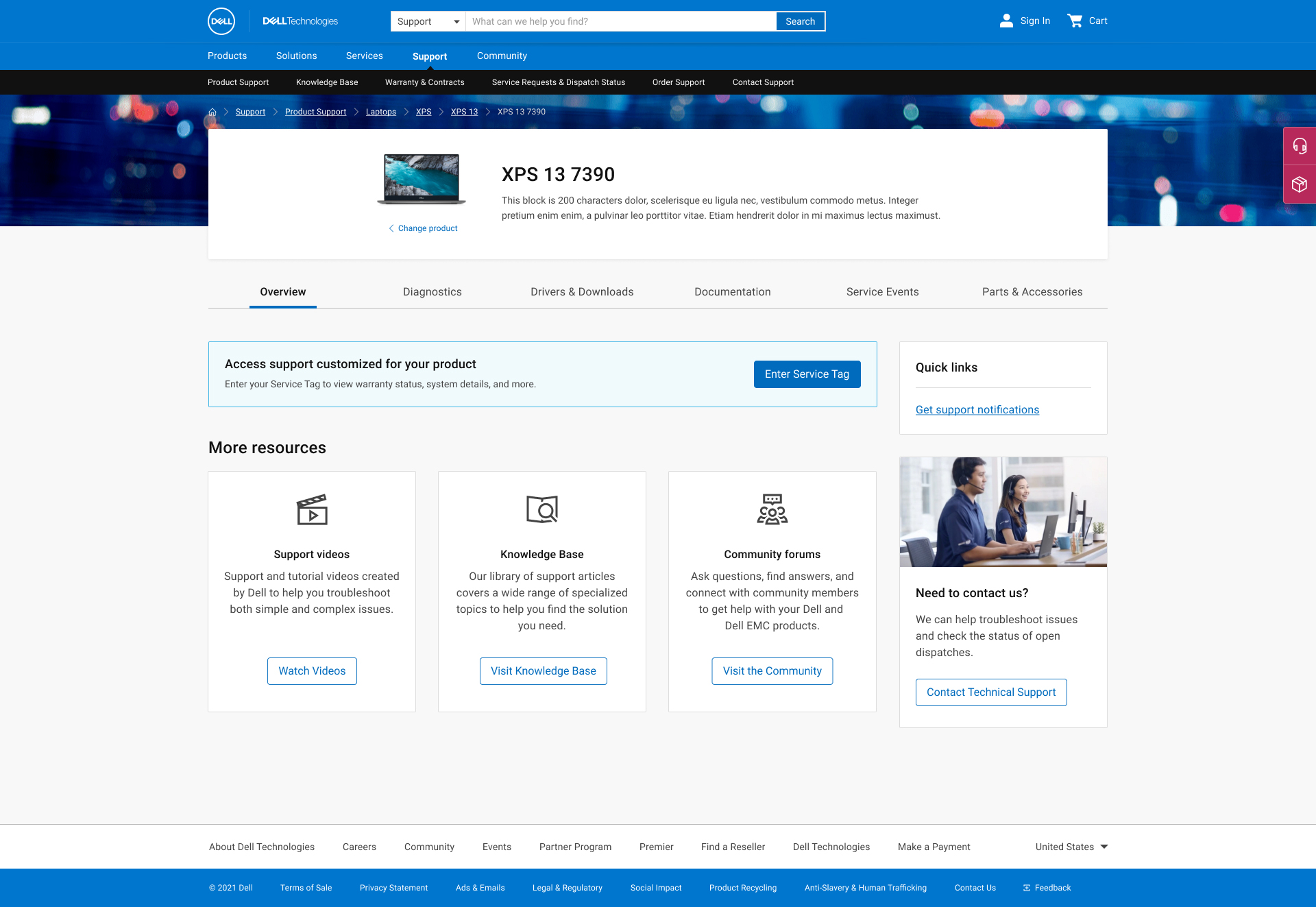
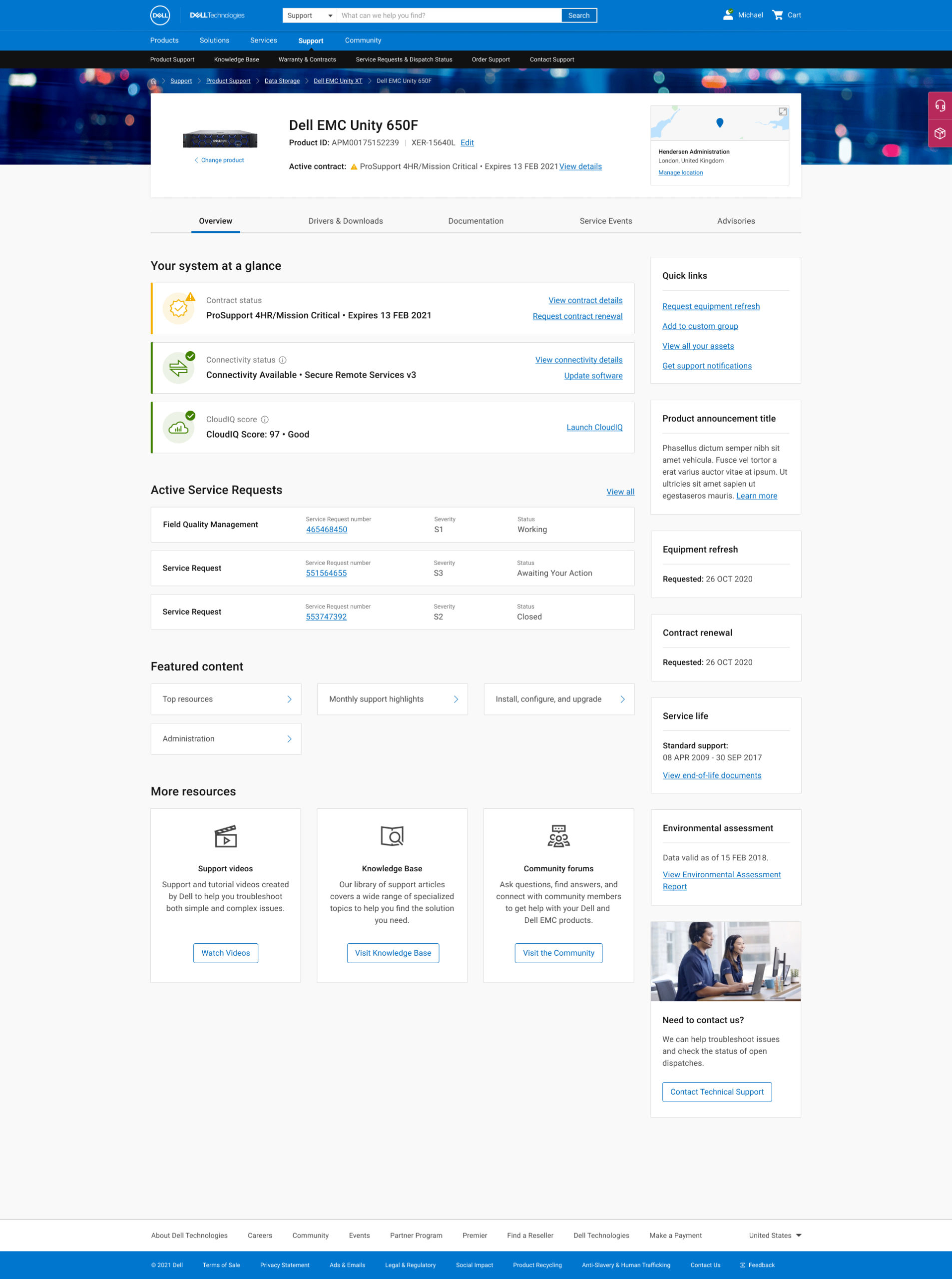
We were asked to redesign the Overview Tab so that there would be no instances of little or no content. Success would be measured by increased usage of the content within the tab. However, once we started unpacking the cause of little or no content appearing, we discovered a lot of variables controlling what content might appear and a fount of opportunity to elevate important content from within the other tabs of the product page. The problem was not that there was no content to show, but what to choose to show when, depending on the variables driving the page content.
Reframing the Problem
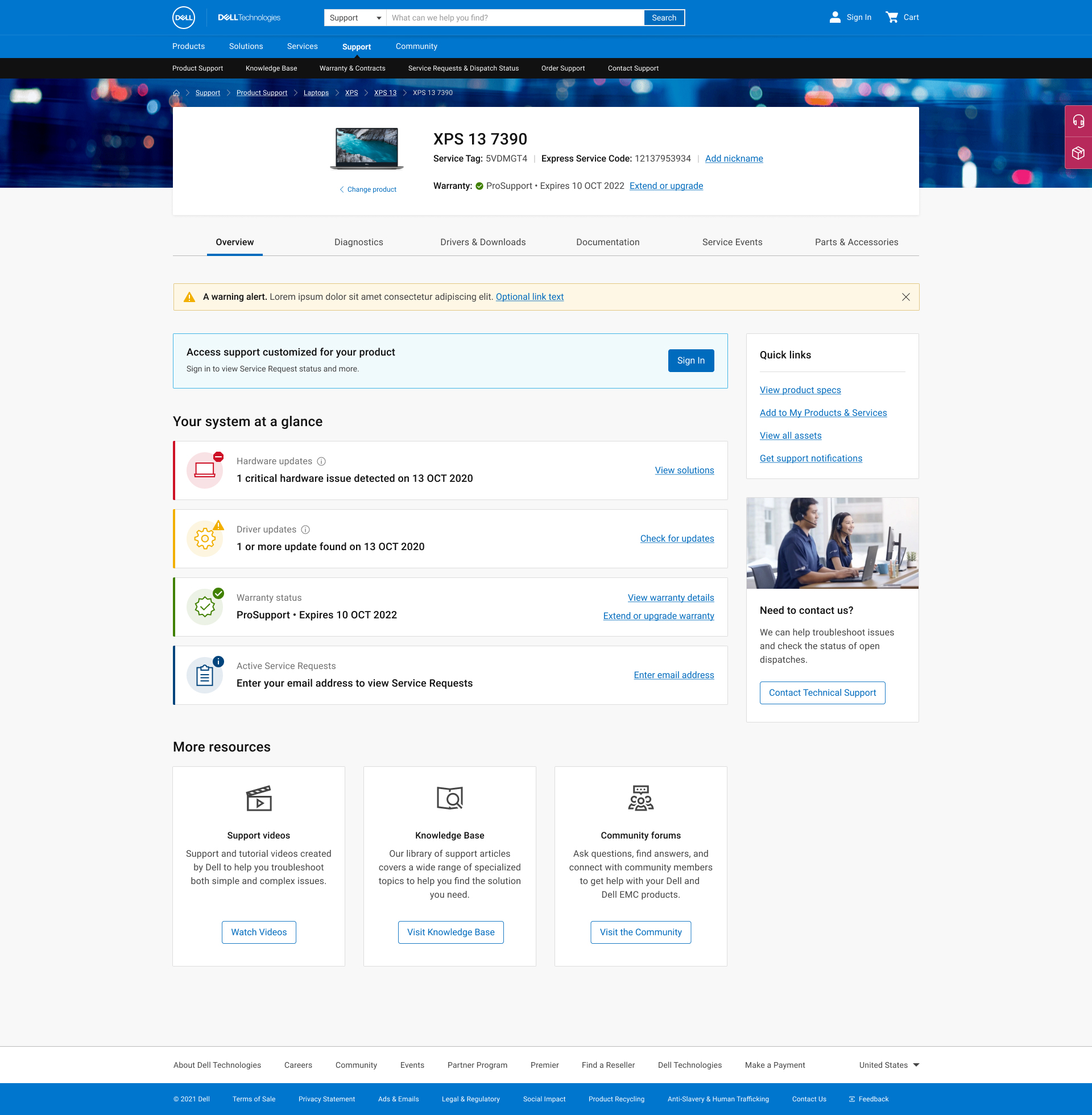
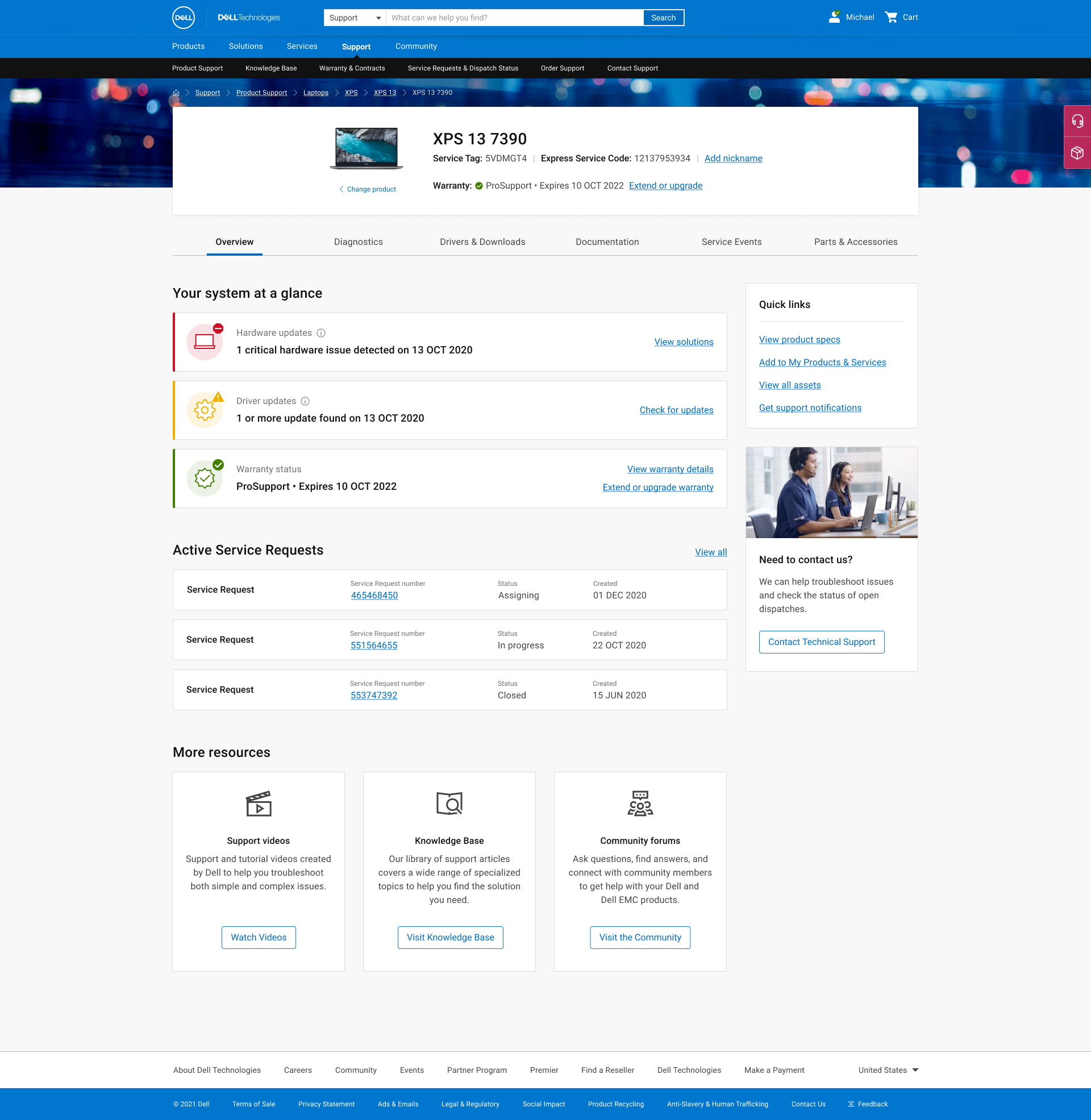
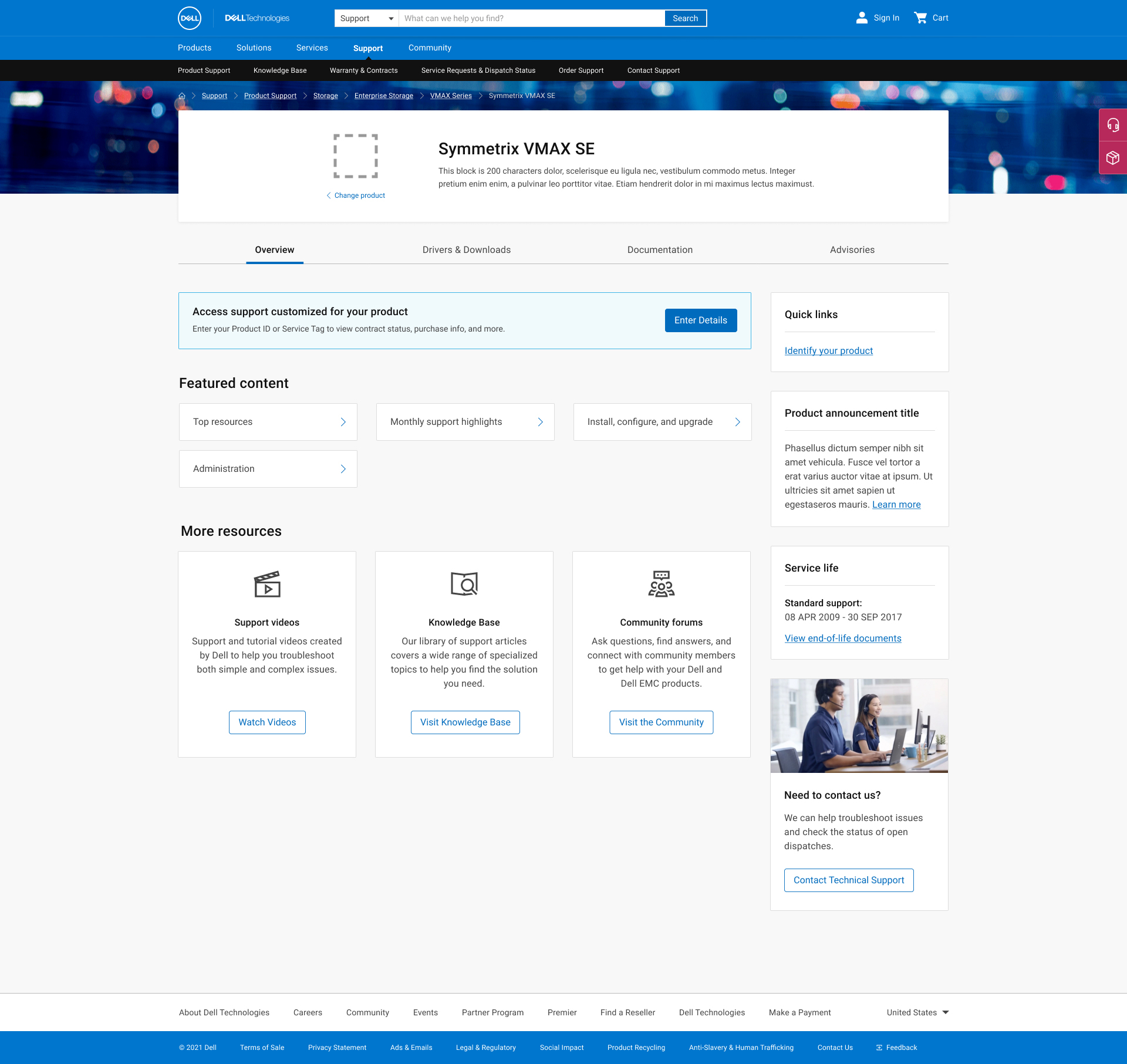
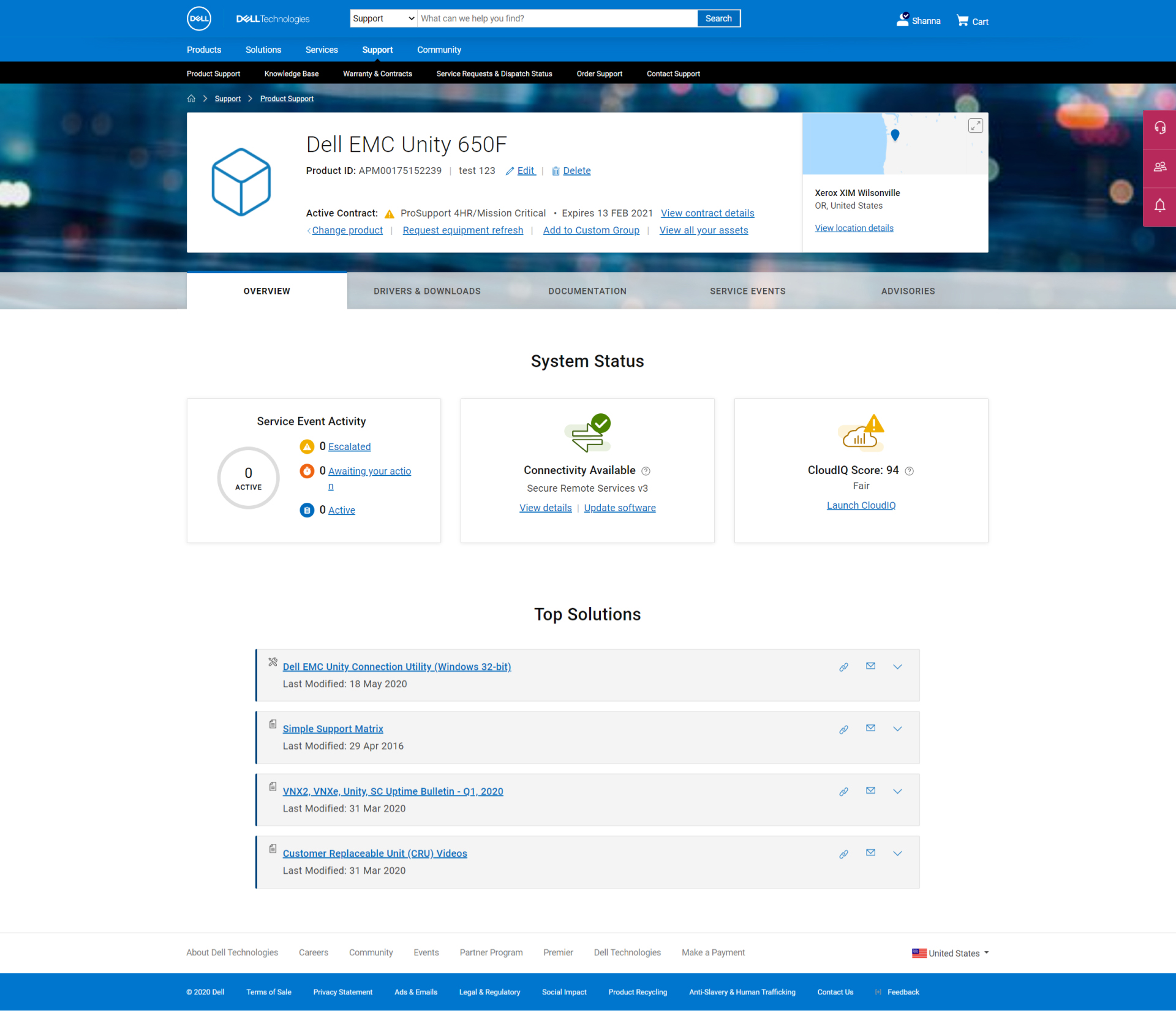
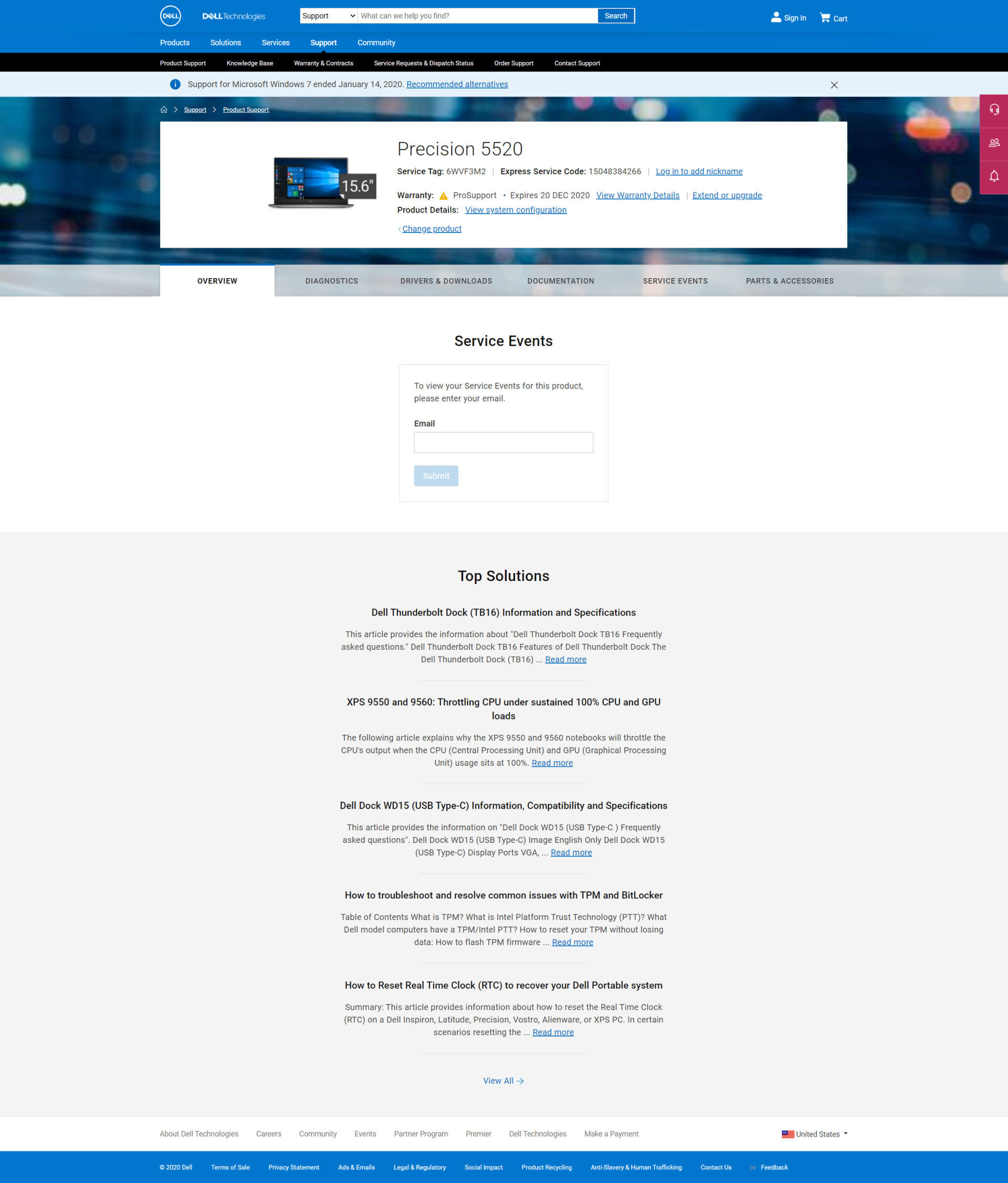
The empty tab issue turned out to be a symptom, not the problem. When we started unpacking why content was missing, we found a complex matrix of variables controlling what any given user could see: five levels of user permissions, four distinct product types, and content that varied depending on whether we were showing an individual product model, a series, or a product family. The most valuable content of all, personalized diagnostics and service information, was only available when we had a specific serial number.
The real design challenge wasn’t “what do we put in the Overview tab.” It was: given all these variables, what is the right content to show to which user, in which state, and in what order of priority?
That question had to be answered before any page architecture or visual design could begin. Leading the product team and stakeholders through that content decision-making process became the central work of the project.
content Strategy
We started with an audit. At the outset there were three categories of content in play: what was already on the pages, what stakeholders wanted to add, and what we believed users would actually find valuable. Before designing anything, we needed to know which of those overlapped and which didn’t.
User input shaped the priority model. We brought in both consumer and enterprise users early to understand what they were looking for when they landed on these pages, and used that to build a content hierarchy that reflected actual need rather than internal assumptions about what mattered.
With priorities established, we mapped content availability against the full permission and product-type matrix. This produced a clear framework for what to surface, when, and for whom — and gave us the foundation to design page states that never felt empty, because every state was intentional.
Validation and Iteration
Testing ran across all four primary user states and both audience types. We validated findability of critical information, usability of key interactions, and comprehension of iconography and color usage. The process ran four rounds of iteration before we reached a result we were confident in.
Four rounds sounds like a lot. In this case it reflected the complexity of the problem space honestly. Each round was resolving a specific layer of the experience, and each one produced a measurably better result.
impact
%
CSAT up 28% three months
after launch
%
Self-Support Failure Rate down 37%, reducing inbound call volume to Dell support agents
%
“Service Tag Not Recognized” errors down 84%, getting users to their personalized support
page faster
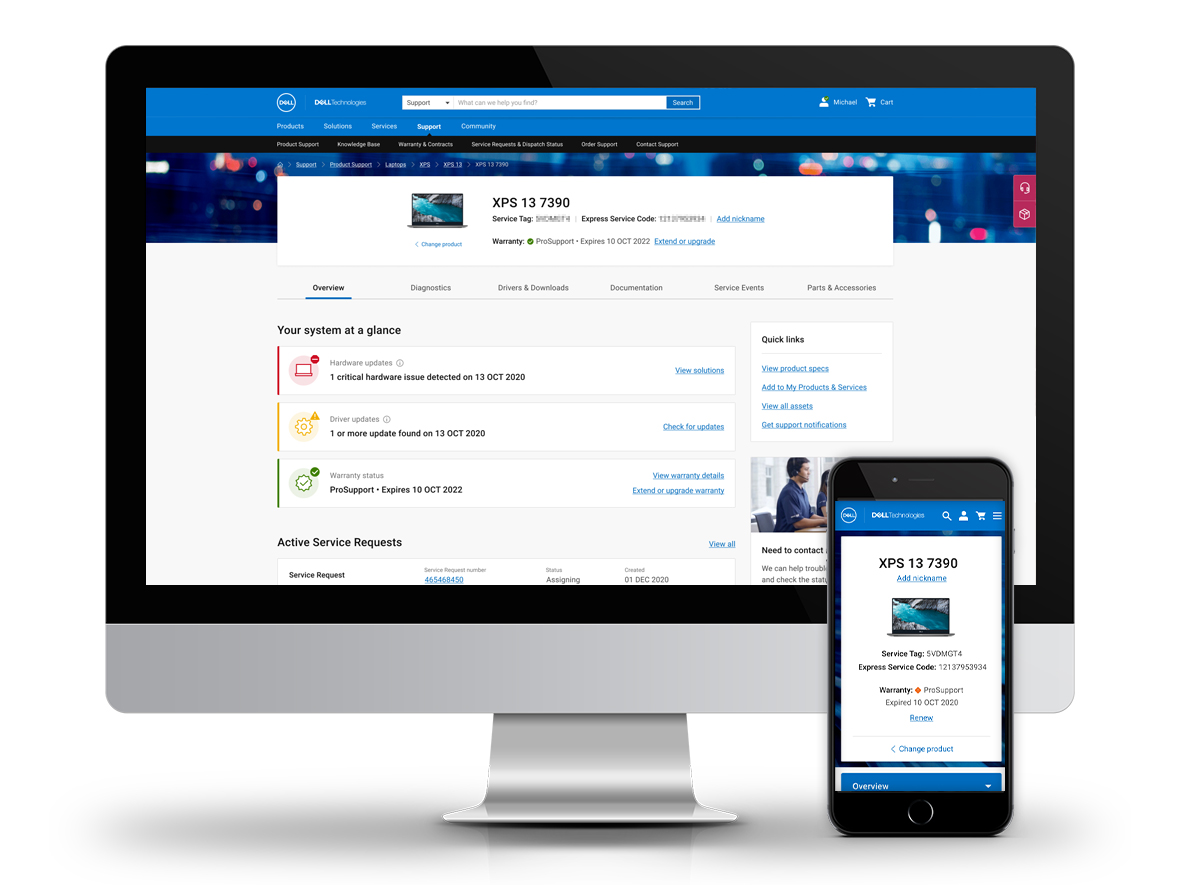
I led design across the full project lifecycle, from problem definition and content strategy through IA, interaction design, and final UI. My most significant contribution wasn’t the visual work — it was leading the product team through the content logic decisions that made the design possible in the first place.
Without a clear framework for what to show in each state, the page would have remained a moving target. Getting that framework right before touching layout or components was the call that made everything downstream faster and more coherent.