
Case study · Enterprise · Dell Technologies
Dell Product Support
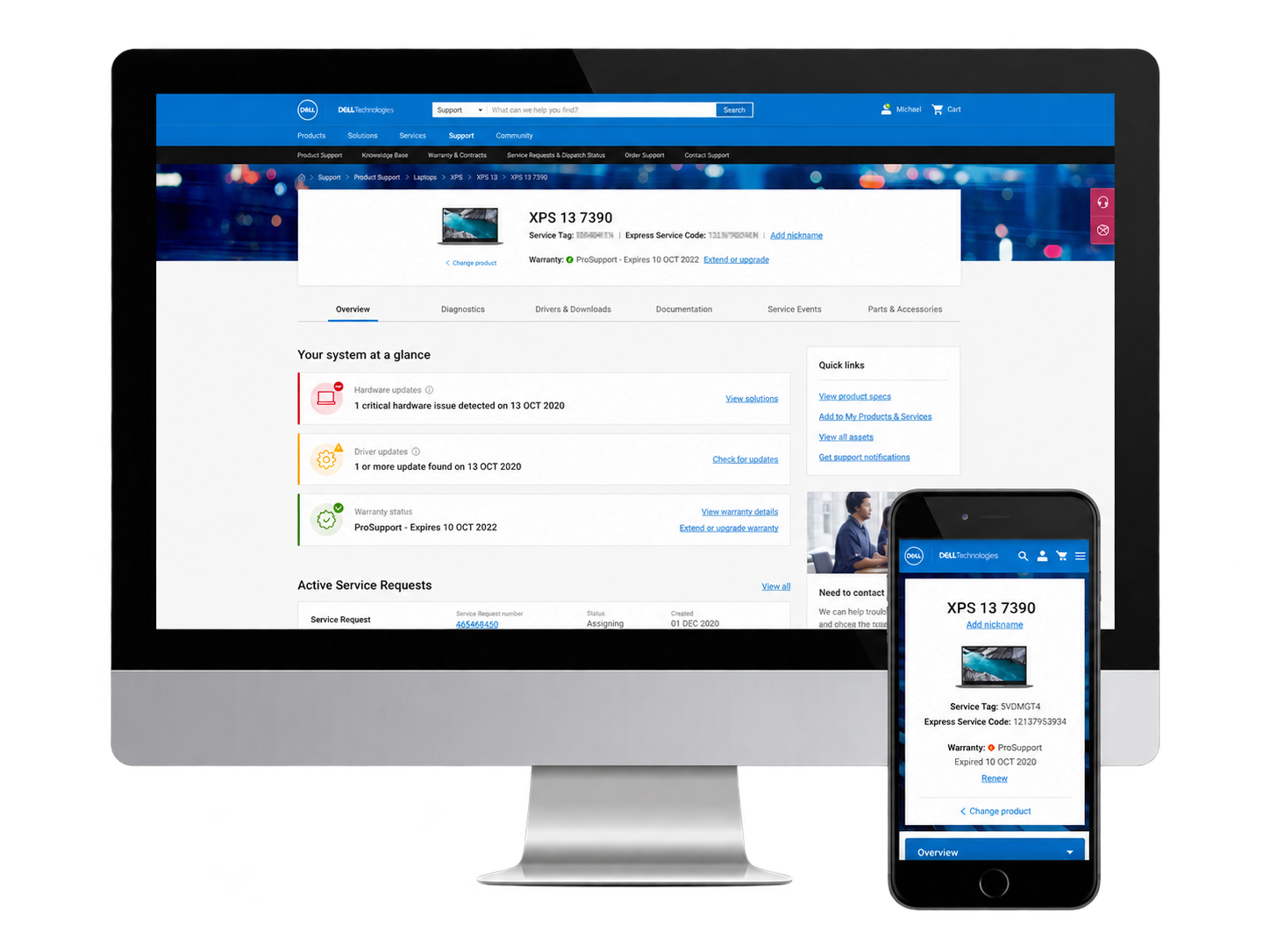
Consumer and enterprise support page redesign: the most visited pages on Dell’s support site, rebuilt around what to show to whom, and when.
My role
Lead Product Designer across the full lifecycle: problem definition, content strategy, IA, interaction design, UI.
Team
One other designer plus a large extended team of content and product owners spanning every tab of the support page.
Scope
Overview tab redesign that became a content-logic framework for the whole product page, across five permission levels and four product types.
Platform
Built responsively for desktop, tablet and mobile from a unified codebase.
Project context
Dell Technologies. Fortune 50 technology company with roughly $96B in annual revenue, selling PCs, servers, storage and services to consumers and enterprises worldwide. Dell Support is one of the highest-traffic support properties on the web, serving every Dell and EMC owner from a student with a laptop to an admin managing a global fleet.
2022 · Enterprise · Consumer · B2B · At scale · Corporate web · Responsive design · Design lead
+28%
CSAT three months after launch
-37%
self-support failure rate, reducing inbound call volume
-84%
“Service Tag Not Recognized” errors
Overview
The product support pages are the most visited pages on Dell’s support site. Every Dell owner, from a consumer troubleshooting a laptop to an enterprise IT admin managing a fleet of servers, passes through here. The original ask was narrow: redesign the Overview tab to prevent instances of empty content and increase engagement with what was already there.
That scope didn’t survive contact with the actual problem.
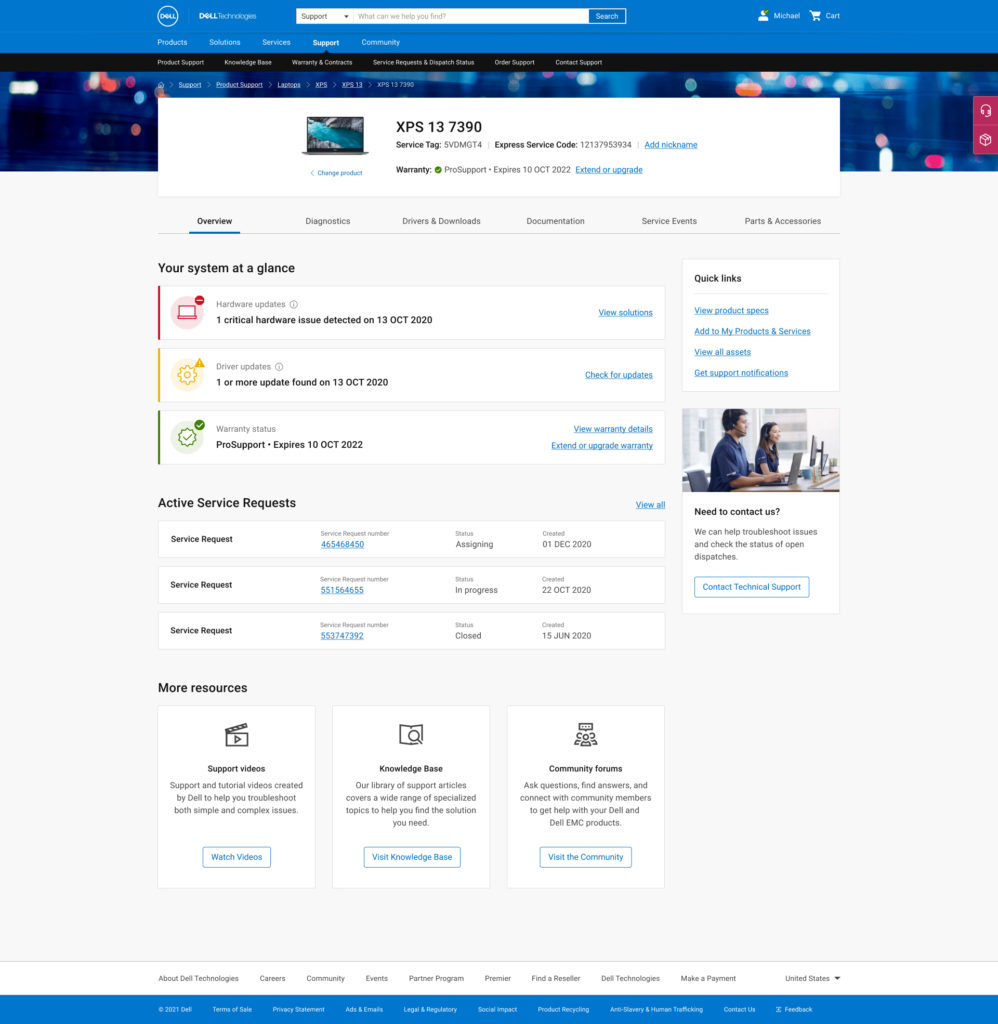
Consumer product, tagged and authorized
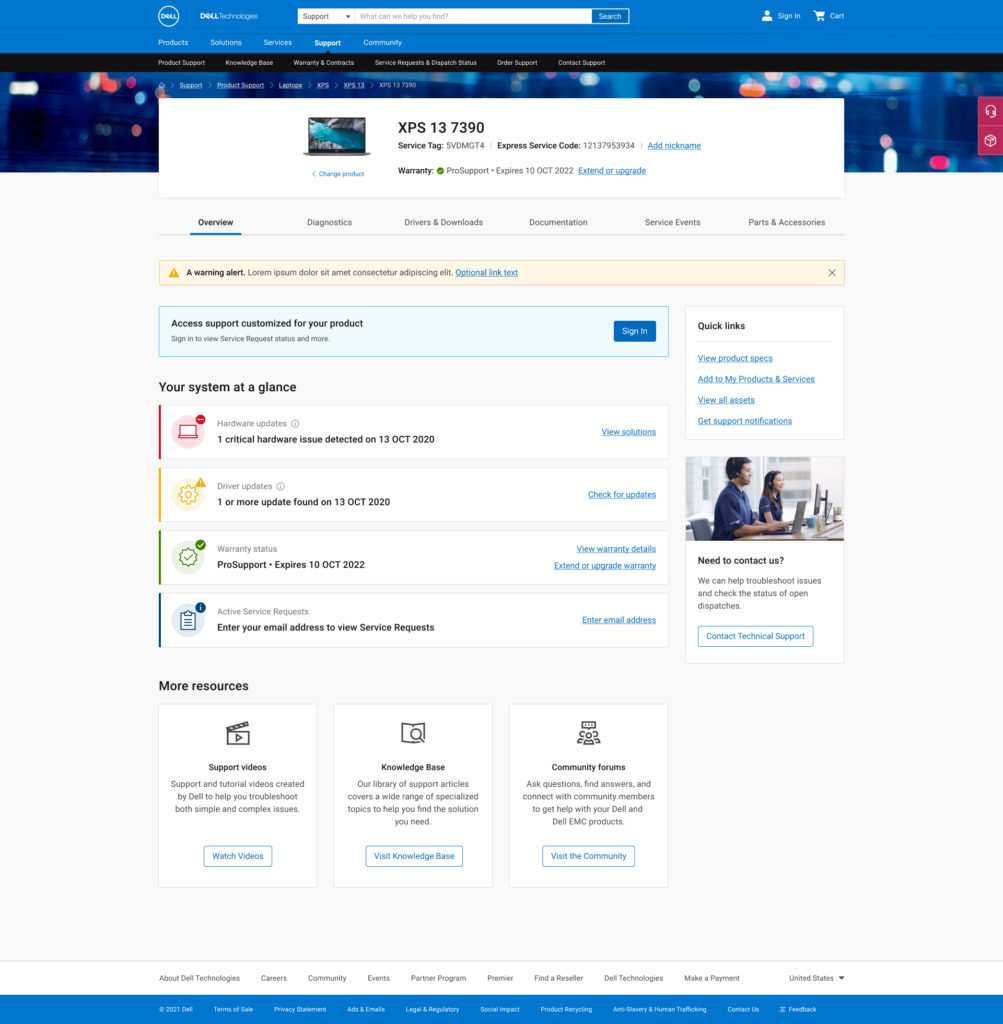
Consumer product, tagged and unauthorized
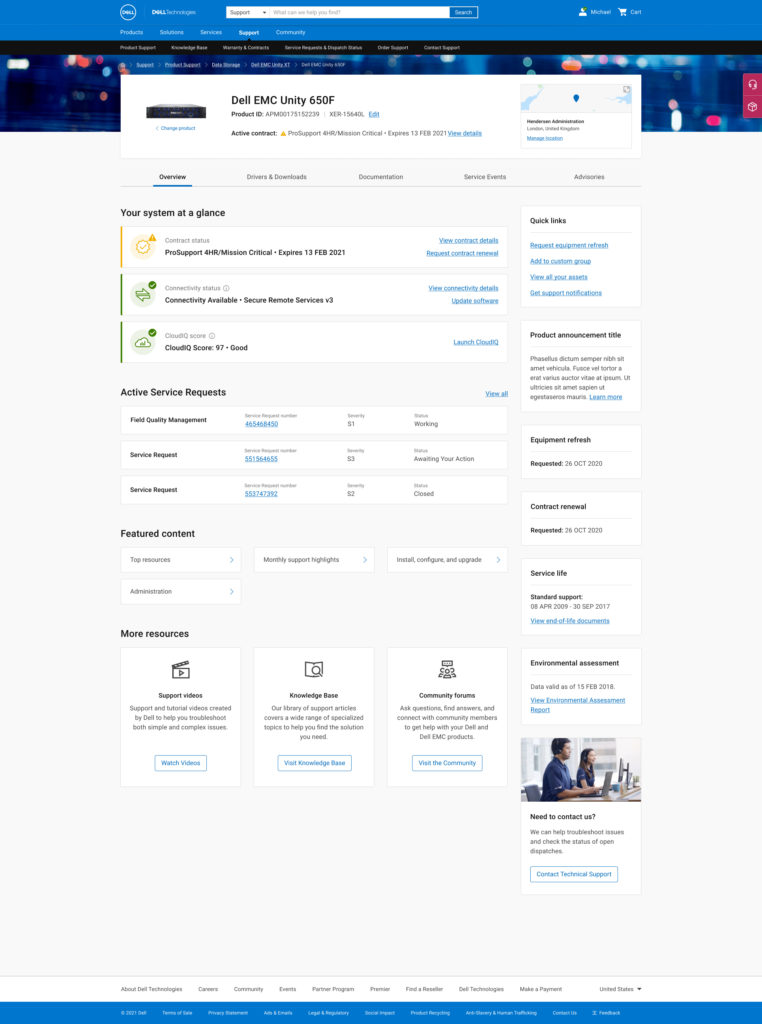
Enterprise product, serialized and authorized
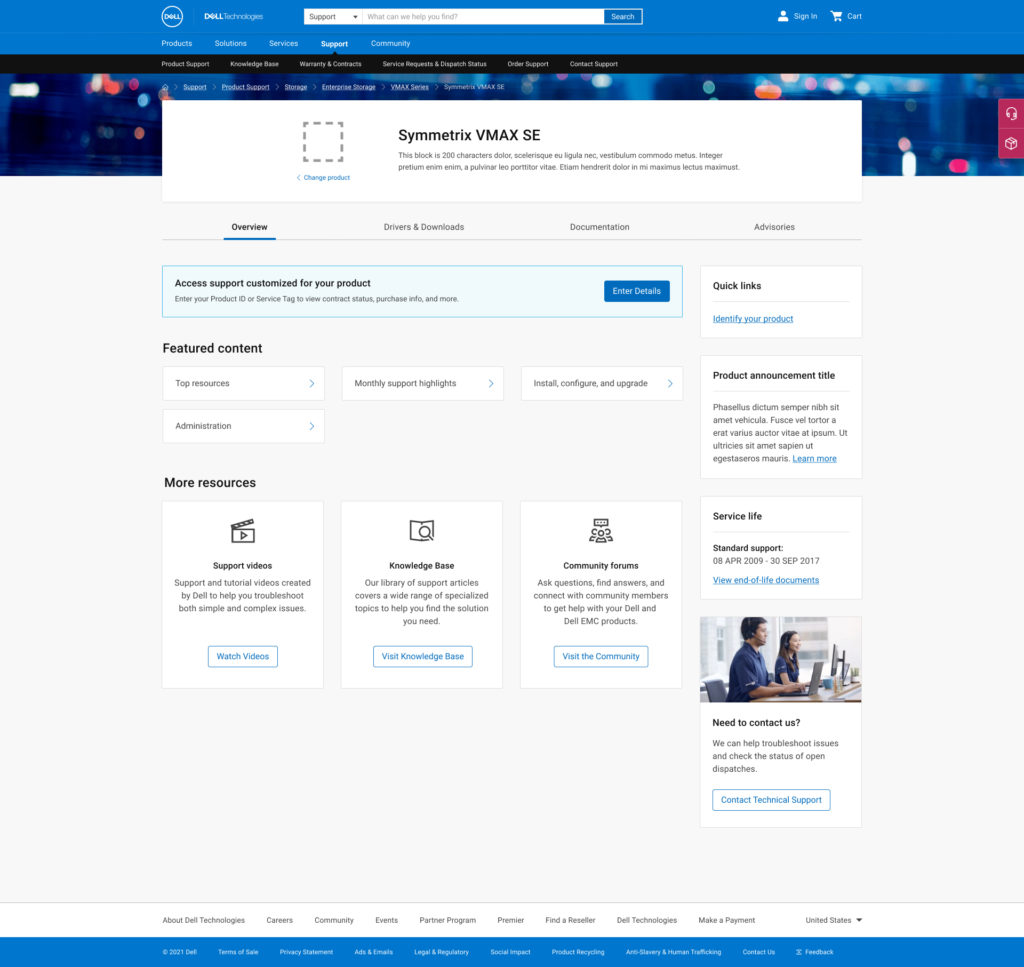
Enterprise product, unauthorized model
The redesigned product page across user states: consumer and enterprise, tagged and untagged, authorized and not.
Reframing the problem
The empty tab issue turned out to be a symptom, not the problem. When we started unpacking why content was missing, we found a complex matrix of variables controlling what any given user could see: five levels of user permissions, four distinct product types, and content that varied depending on whether we were showing an individual product model, a series, or a product family. The most valuable content of all, personalized diagnostics and service information, was only available when we had a specific serial number.
The real design challenge wasn’t “what do we put in the Overview tab.” It was: given all these variables, what is the right content to show to which user, in which state, and in what order of priority?
That question had to be answered before any page architecture or visual design could begin. Leading the product team and stakeholders through that content decision-making process became the central work of the project.
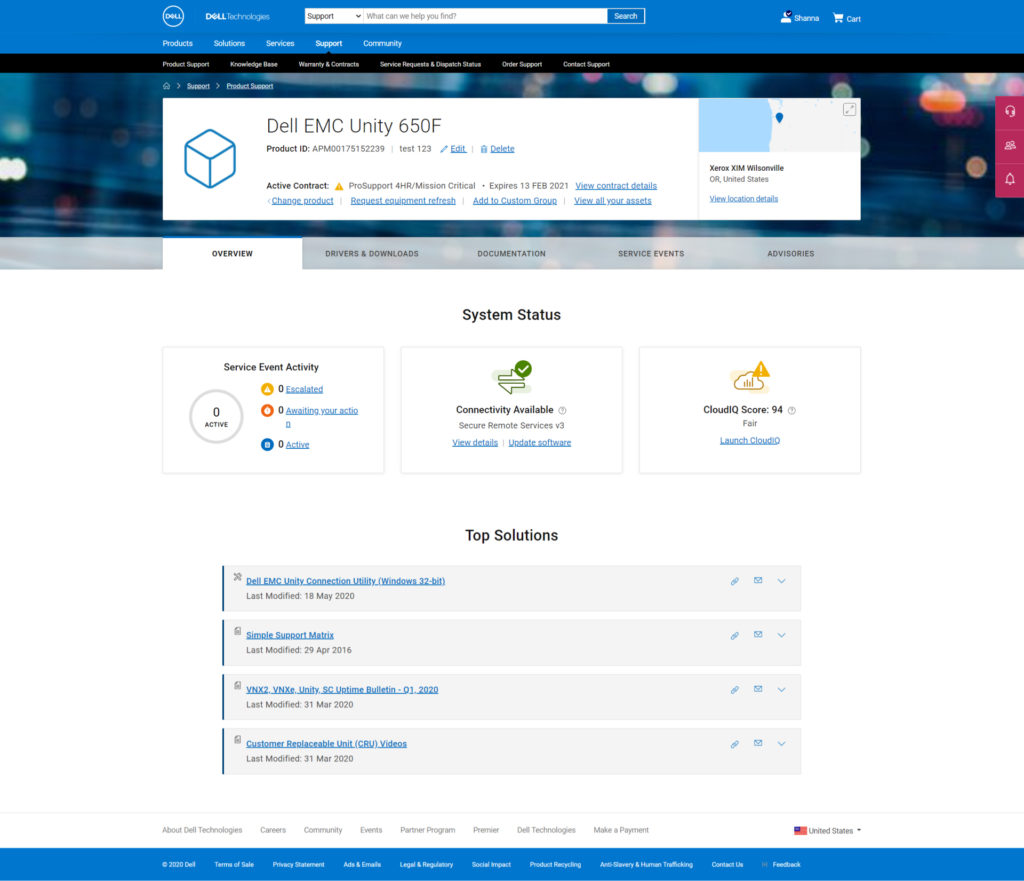
Original enterprise product, tagged and unauthorized
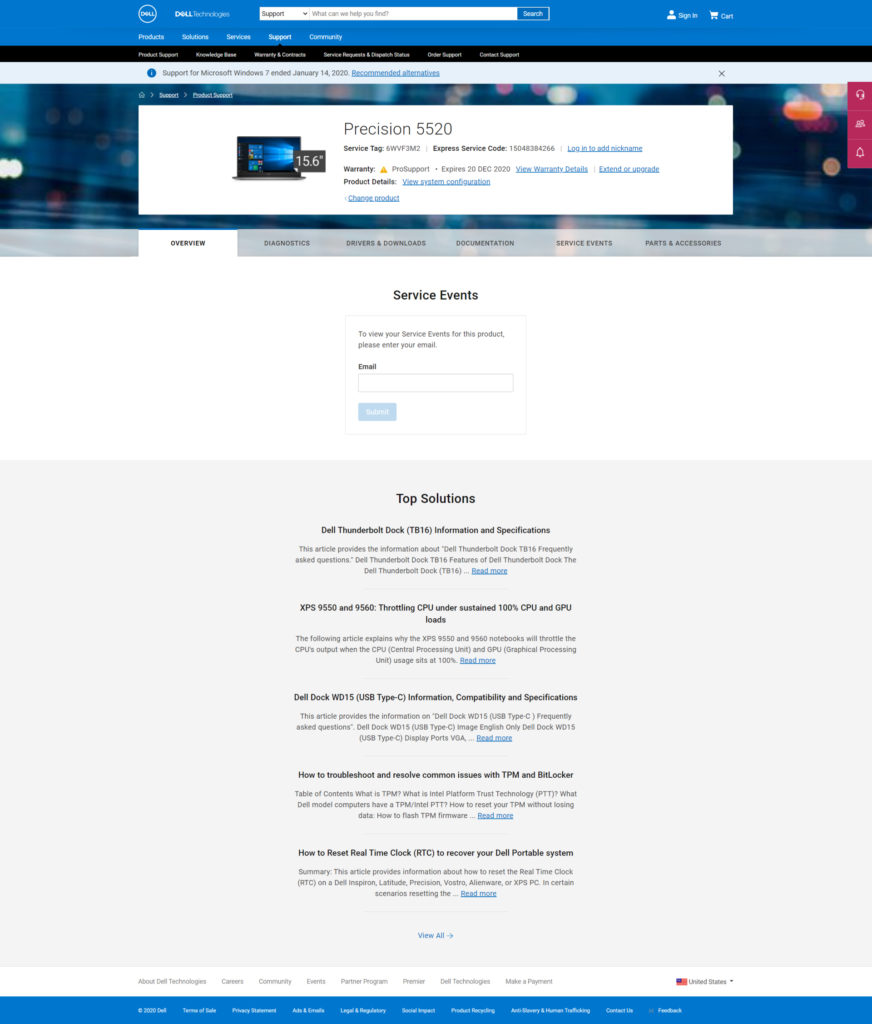
Original consumer product, tagged and unauthorized
Where it started: the original consumer and enterprise product pages.
Mobile as a critical support channel
Mobile had a different character than any other context on the site, for one reason: if your laptop is offline or won’t boot, your phone is your only path to get help. These users have high urgency, low patience, and no tolerance for an experience that promises something it can’t deliver.
It also introduced a specific technical constraint. The automated service tag detection that powered the personalized desktop experience relied on browser-level capabilities unavailable on mobile. Rather than surface a detection CTA that couldn’t function, we removed it entirely from the mobile experience. Manual tag entry remained, as it had always been user-initiated on desktop as well. The decision to remove the shortcut rather than leave a broken promise in the UI was one of the clearest calls on the project: a user troubleshooting a bricked laptop on their phone is exactly the wrong person to show a feature that fails them.
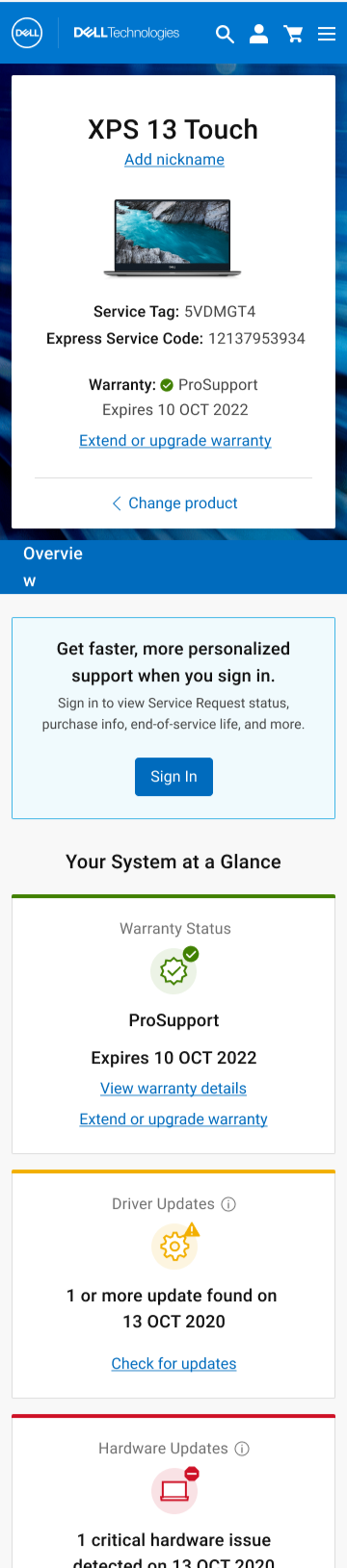
Unauthenticated, tagged, consumer product, on a phone.
The content hierarchy on mobile was also shaped by the state matrix. Unauthenticated mobile users, which was the majority, landed in a state where the design had to do real work with limited information. The approach was to surface whatever was knowable without authentication first: warranty status, driver updates, hardware alerts, service tag confirmation. Sign-in was positioned as an upgrade to a richer experience, not a gate blocking a basic one. A user who couldn’t or wouldn’t sign in still left with something actionable.
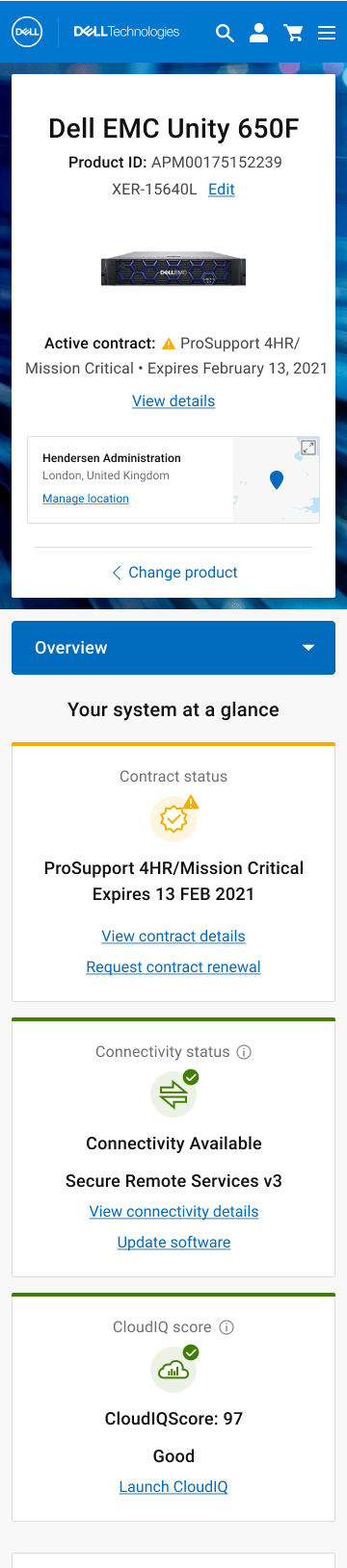
Authenticated, serialized enterprise product, on a phone.
Content strategy
We started with an audit. At the outset there were three categories of content in play: what was already on the pages, what stakeholders wanted to add, and what we believed users would actually find valuable. Before designing anything, we needed to know which of those overlapped and which didn’t.
User input shaped the priority model. We brought in both consumer and enterprise users early to understand what they were looking for when they landed on these pages, and used that to build a content hierarchy that reflected actual need rather than internal assumptions about what mattered.
With priorities established, we mapped content availability against the full permission and product-type matrix. This produced a clear framework for what to surface, when, and for whom, and gave us the foundation to design page states that never felt empty, because every state was intentional.
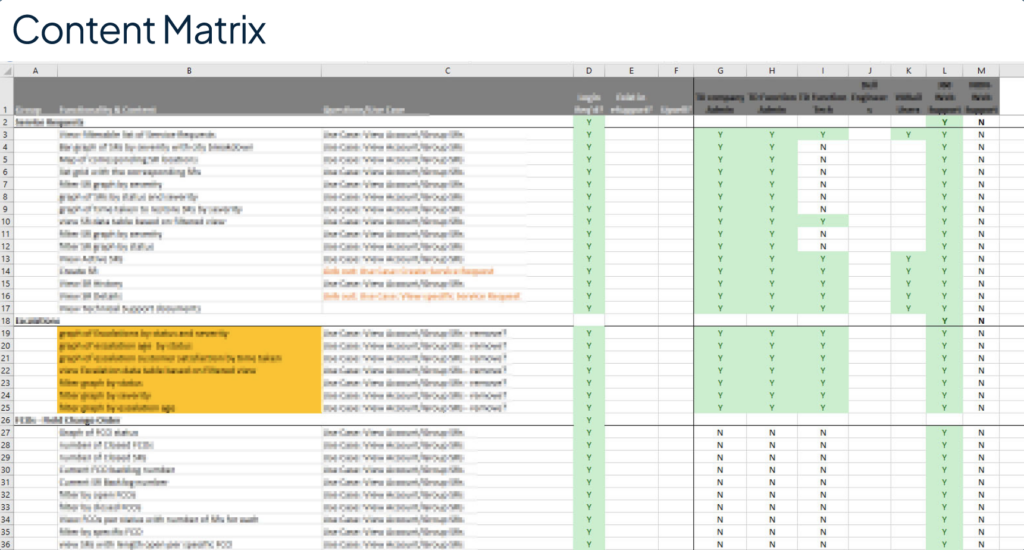
Dell Support Content Matrix
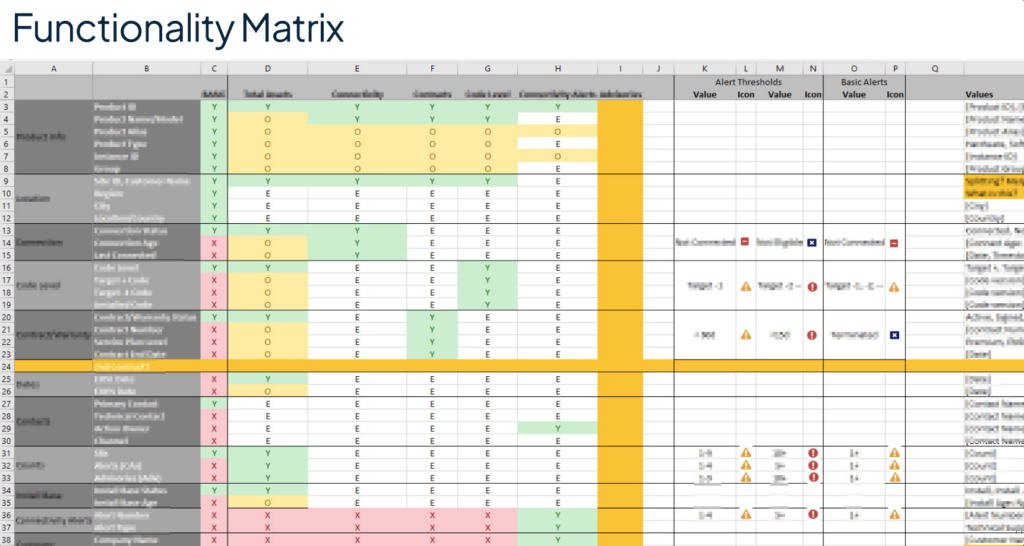
Dell Support Functionality Matrix
The content and functionality matrices that governed every page state.
Validation and iteration
Testing ran across all four primary user states and both audience types. We validated findability of critical information, usability of key interactions, and comprehension of iconography and color usage. The process ran four rounds of iteration before we reached a result we were confident in.
Authenticated, serialized enterprise product: the richest state the page can reach.
Impact
Three months after launch, CSAT was up 28%, the self-support failure rate was down 37%, which took real volume off the support phone lines, and “Service Tag Not Recognized” errors were down 84%, getting people to their personalized page faster. That is what the content framework was for: every page state intentional, including the ones with the least to show.
My role on this project
I led design across the full project lifecycle, from problem definition and content strategy through IA, interaction design, and final UI. My most significant contribution wasn’t the visual work: it was leading the product team through the content logic decisions that made the design possible in the first place.
Who sees what, when, and why has been the recurring question in my enterprise work ever since. The same modeling drove the permission matrix on MyService360, the advisor platform at Schwab, and multi-location account management at Clover.
Lead product designerFunctional & content reqsInformation architectureUser flowsUI designUser researchResponsive design